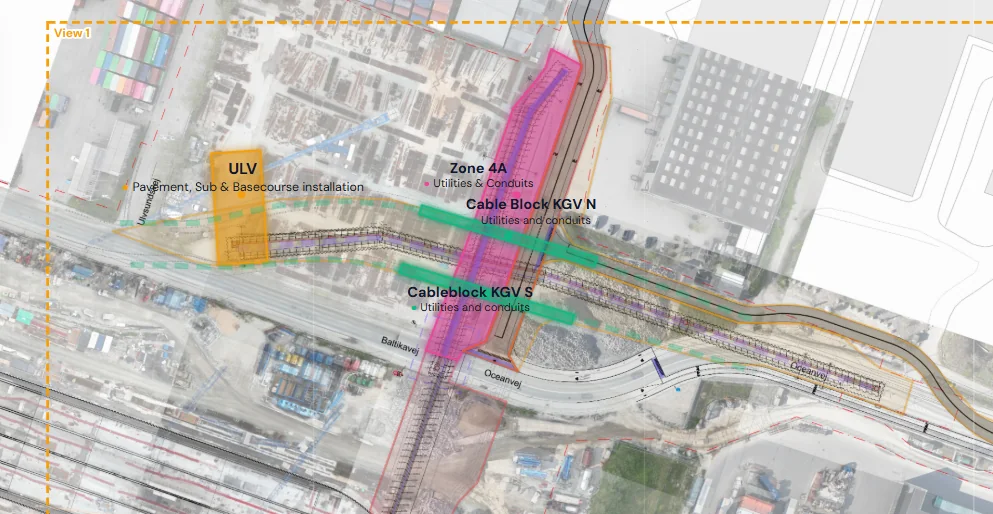
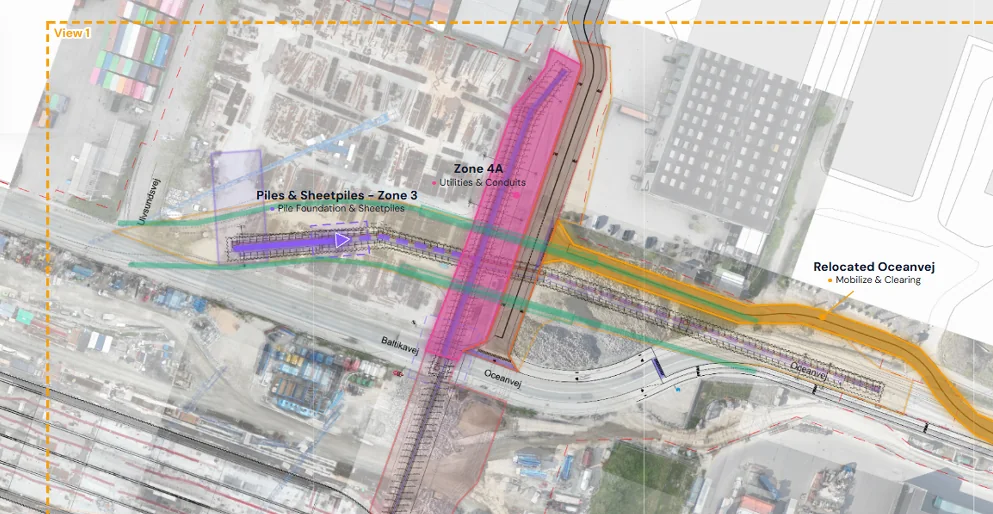
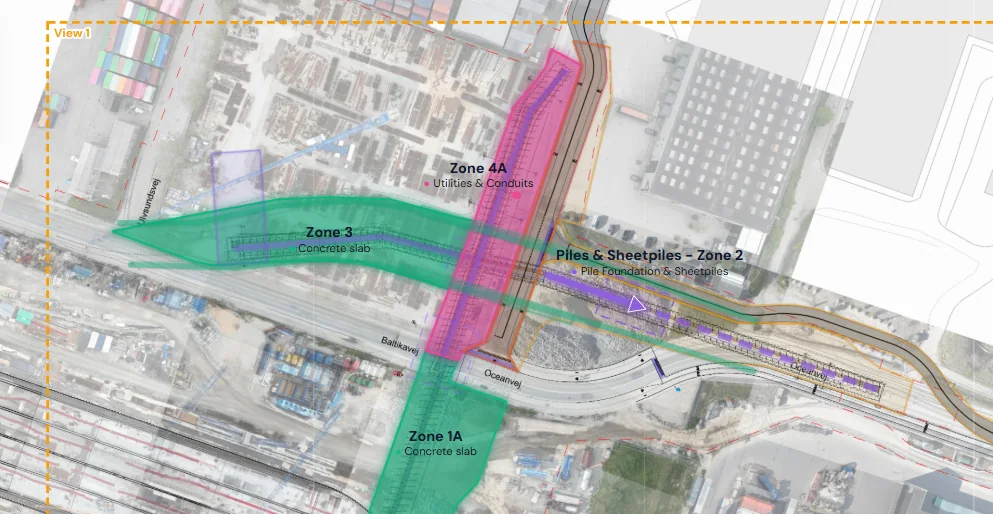
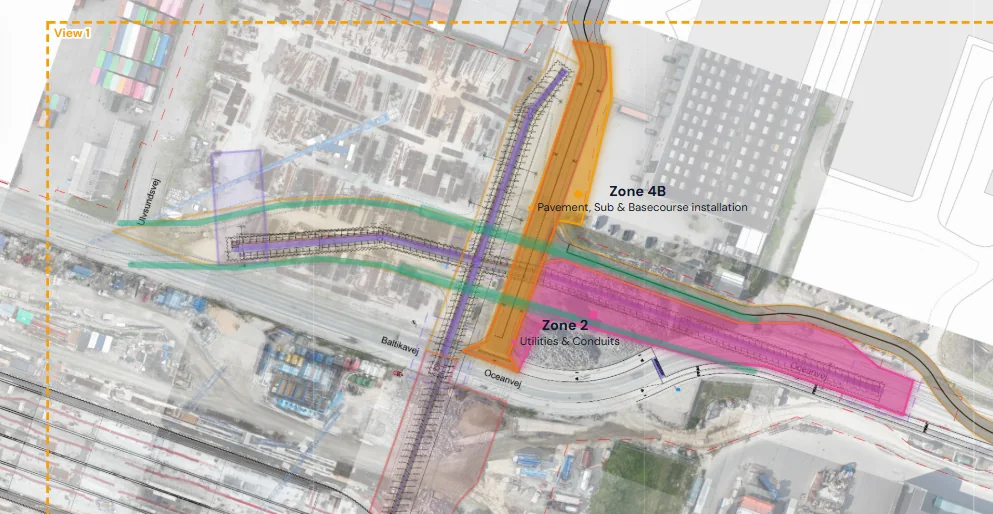
Put the programme on the drawing.
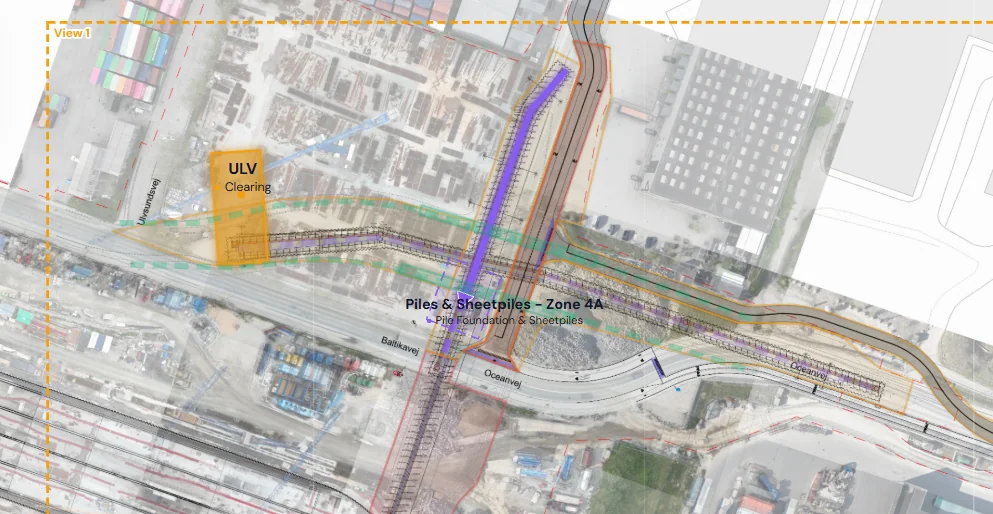
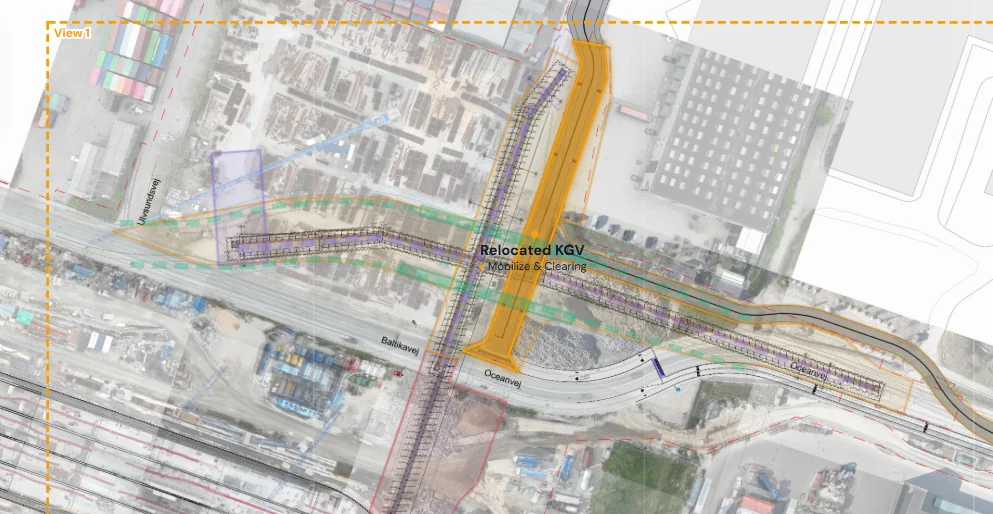
Link programme activities to zones on your PDF site plan and see exactly where work is planned.
Construction programme × site drawing
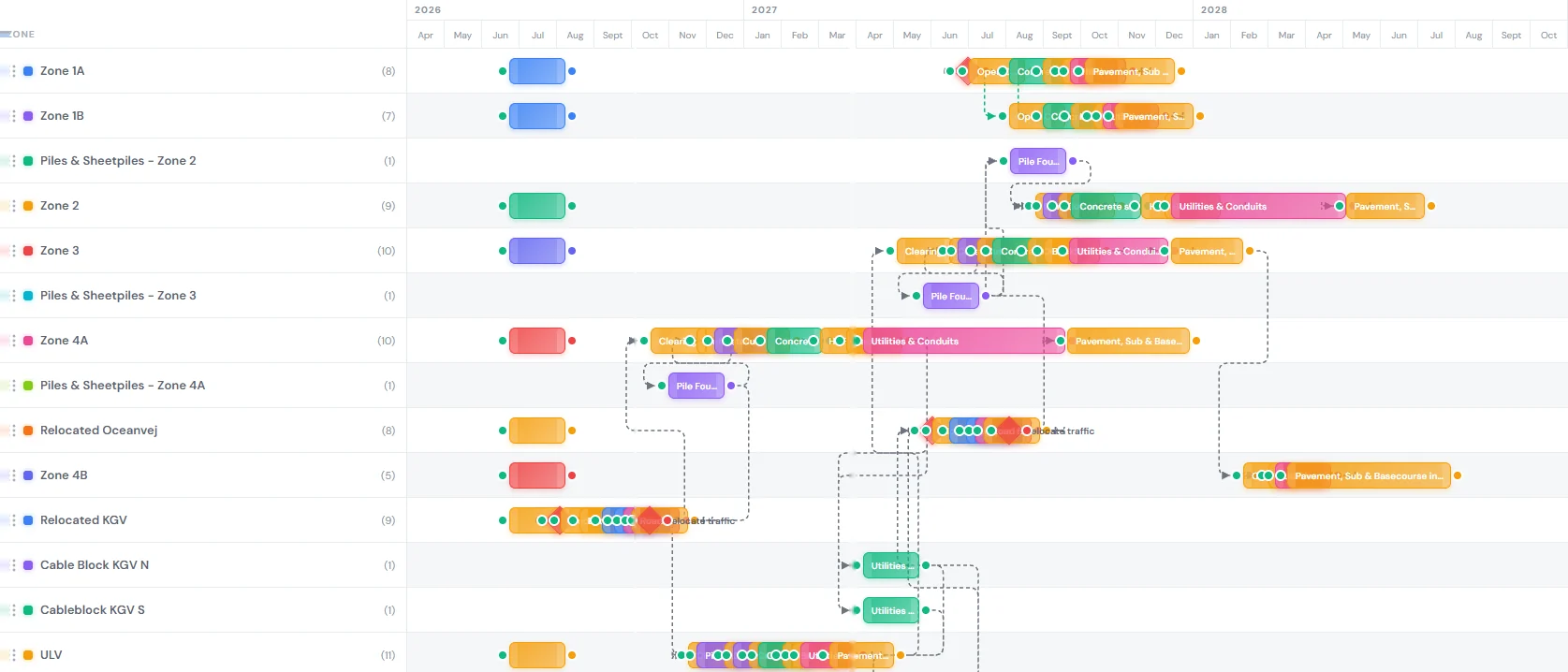
SeqncMap connects your construction programme to the site drawing — giving planners, project managers and the field one clear view of what happens, where and when.
The missing layer
SeqncMap connects the two without replacing the planning tools you already use. Keep the detailed programme in P6 or your preferred scheduler. Use SeqncMap to make the plan understandable to everyone else.
Built for construction teams
Designed around the information people actually use on site: drawings, zones, phases and dates, and the cranes, laydowns and haul roads that serve them.
Link programme activities to zones on your PDF site plan and see exactly where work is planned.
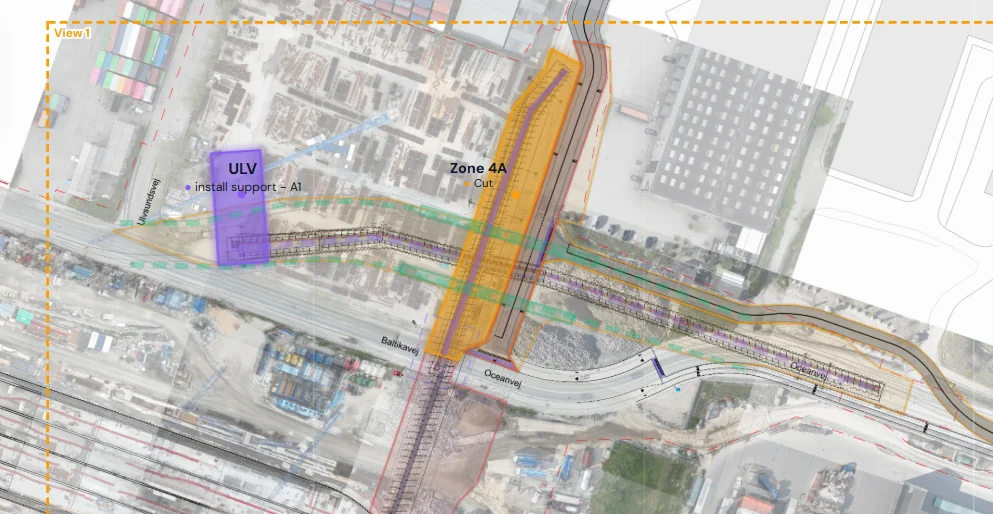
Scrub the timeline and see what is finished, active and upcoming at any point in the programme.
Read-only browser access. No account, no app, no training and nothing to maintain.
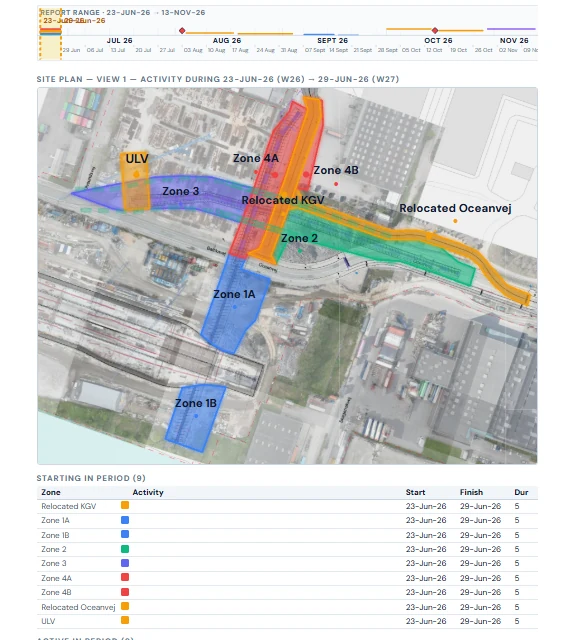
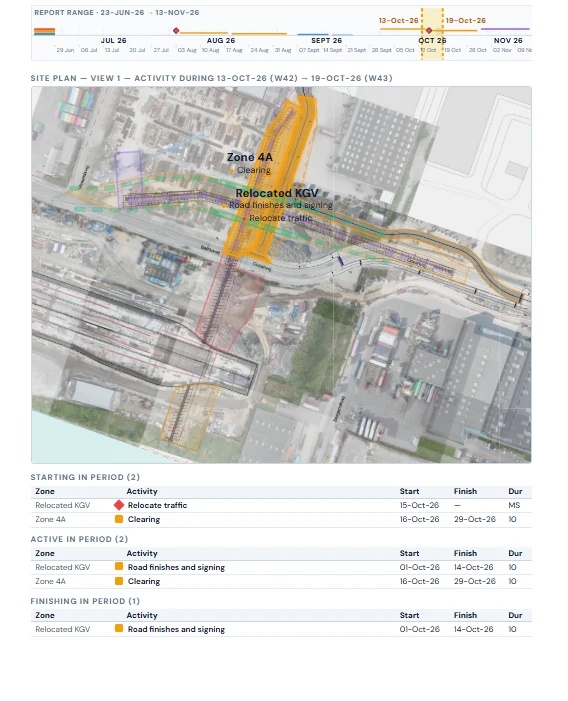
Generate a dated phase-plan report with one page per day, week or month. Each page shows the site plan with the zones at work, and tables of what starts, runs and finishes in that period. Save it as PDF for the programme pack or the site-office wall.
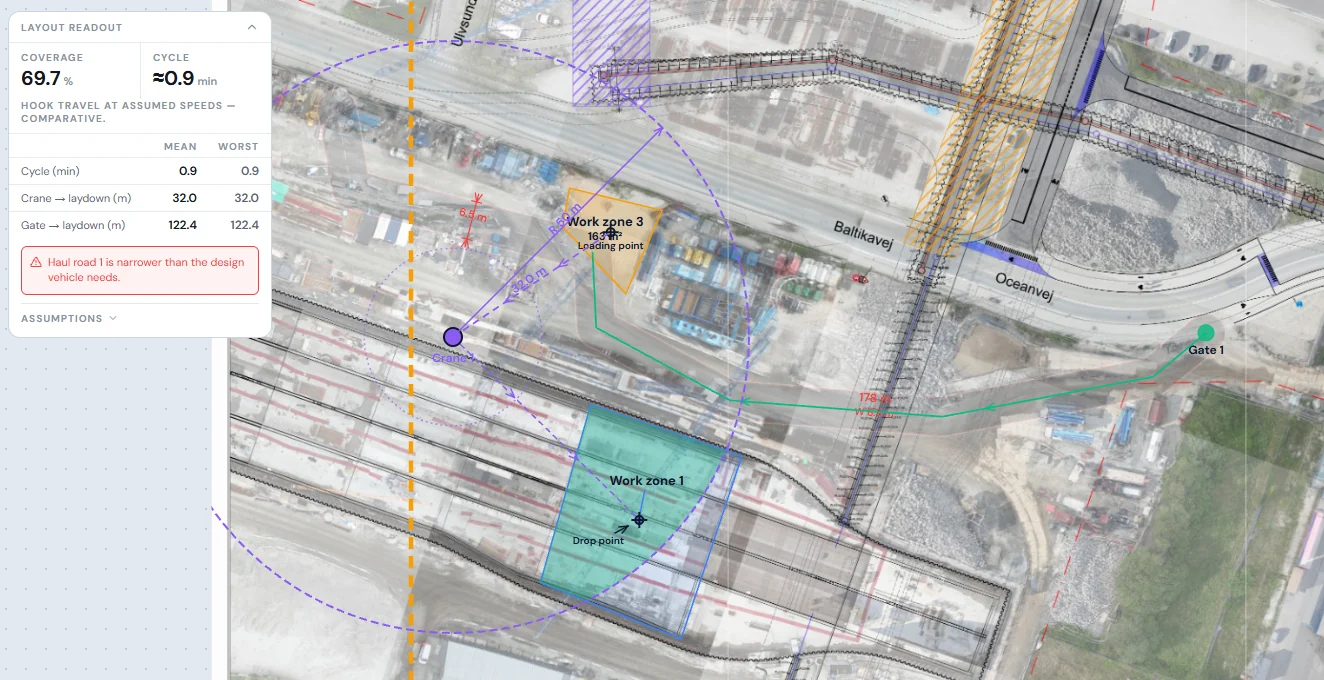
Place cranes, fixed or track-mounted, mark laydown areas and route haul roads from the gate. Coverage, lift cycle time and haul distances update as you drag, and the layout flags a haul road that is too narrow for the design vehicle.